
What is the official Chop Chop Inc. Discord invite?
Use https://discord.com/invite/4wpwnxqTWg — also linked from this page’s Join Discord hero button and from Steam / NullRef community posts when they match.

Chop Chop Inc. Discord invite (discord.com/invite/4wpwnxqTWg): join NullRef players for patch news, softlock help, and verified tips. Updated August 2026.
A quick look at the world players discuss in Discord.
~8 min read
Sponsored
The official Chop Chop Inc. Discord is the live community hub for NullRef Entertainment players after Steam launch (app 4369130, publisher rokaplay select). Use only this invite: https://discord.com/invite/4wpwnxqTWg. This page is the stable URL for softlock help, patch chatter, and spoiler-tagged secret talk — then return to Cut → Process → Craft → Distribute in-game. Verified August 16, 2026 · Steam.
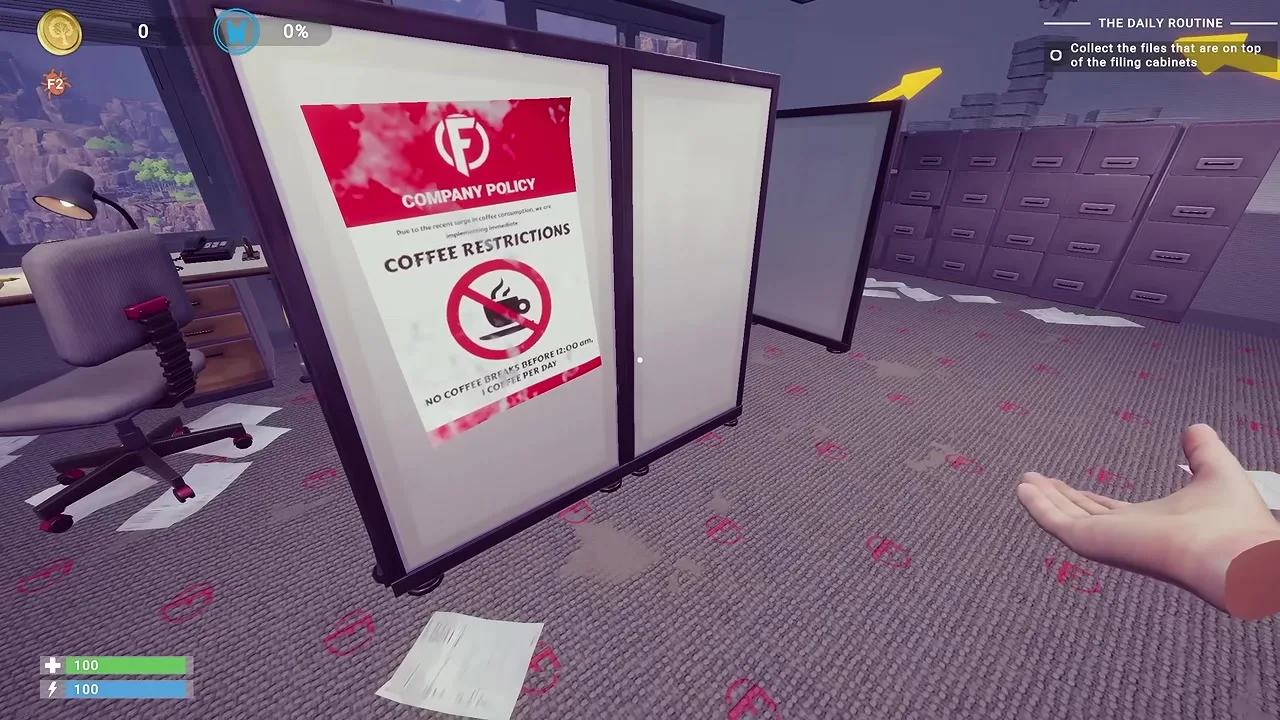
Steam store text and this wiki cover the evergreen loop. Discord covers the moving parts: patch-day recipe shifts, “is the Electric Press still stuck?”, and spoiler rooms for Well / Sacrifice Bowl / Golden Egg reports.
| Need | Discord helps | This site helps |
|---|---|---|
| Official invite | Confirm live server access | Stable URL on this page |
| Battery / press softlock | Live “still broken?” checks | Battery guide |
| Mysterious well clues | Spoiler threads + screenshots | Well guide |
| First-hour Chester steps | Quick “talk to him again” tips | Beginner guide |
| Furniture set payouts | Patch-day bonus rumors | Furniture · Money |
| Automation layouts | Share screenshots of pushers | Automation |
Chop Chop Inc. released August 7, 2026. Early players discover odd trees, NPC recruits, and secret gates faster than any static page can rewrite. Discord is the delta layer; this site keeps Cut → Process → Craft → Distribute procedures readable in search.
The game is singleplayer on Steam PC. Launch from Steam anytime. Join Discord when you want humans who already hit the same softlock — not because the axe requires a server role.
If you only need the invite and nothing else, skip to the next sections; the rest of this page exists so you do not spam the wrong room or trust a fake link.
Use a real Discord account on desktop, mobile, or browser. Prefer opening the invite from this page’s hero Join Discord button so you never mistype the code.
The same invite works everywhere. On phone, choose “Open in Discord” if prompted so you land in the account that owns your Steam friends list. Browser-only sessions sometimes miss announcement pings.
If Accept Invite fails, you are usually logged into a secondary Discord account. Switch users and retry https://discord.com/invite/4wpwnxqTWg — do not hunt a “new” invite from search ads.
After you are in, mute noisy categories if you only care about help and announcements — channel names below are TBA placeholders until browsed live.
Matched by build plan, shared topics, and guide progression — not random related links.
Memorize one URL. Everything else is noise.
| Field | Value |
|---|---|
| Label | Join Discord |
| URL | https://discord.com/invite/4wpwnxqTWg |
| Server name | Chop Chop Inc. Discord |
| Steam app | 4369130 |
| Steam store | https://store.steampowered.com/app/4369130/Chop_Chop_Inc/ |
| Hero CTA | Primary + external → same invite |
| If invite ever rotates | Re-check Steam community socials, then this page |
Players type “chop chop inc discord” when a softlock hits at 1 a.m. Search results mix Steam discussions, random Discord.gg pastes, and this guide site. We pin https://discord.com/invite/4wpwnxqTWg in plain text so you can compare character-for-character before clicking.
NullRef / community posts linked from the Steam hub are the other legitimate path. If both Steam and this page ever disagree, wait for a staff pin — do not accept a stranger’s “updated invite” in DMs.
Next: pick a channel before you paste your screenshot.
Exact channel names are TBA until confirmed with an in-server Browse Channels pass. Expect announcements, rules/verify, general chat, help, and spoiler-tagged rooms for secrets. Use the placeholder groups below as a map, then trust the live sidebar.
Welcome
Community
If you cannot find a dedicated help room yet, read the welcome channel’s pointer posts. Do not dump well / sacrifice bowl spoilers in general chat — use spoiler tags or the spoiler room once you locate it.
Before rewriting your production line, skim announcements. A “battery fixed” pin saves you an hour of repeating old workarounds from stale threads.
When Discord reorganizes categories after a big update, re-open Browse Channels and compare — the invite stays https://discord.com/invite/4wpwnxqTWg.
Good Discord questions are time-sensitive. Good site pages are stable procedures. Split your energy so neither channel gets noise.
| Question | Ask Discord? | Read the site first? |
|---|---|---|
| Official invite link? | Only to confirm | Yes — this page / https://discord.com/invite/4wpwnxqTWg |
| Chester tutorial order? | If a step will not advance | Beginner guide |
| Sawhorse / workbench timing? | Rarely | Beginner guide |
| Electric Press / battery stuck? | Yes — patch sensitive | Battery then Discord |
| Mysterious well gold amount? | Spoiler room | Mysterious well |
| Sacrifice bowl ritual? | Spoiler room | Sacrifice bowl |
| Golden egg uses? | After you find one | Golden egg |
| Duck family locations? | If coords moved | Ducks |
| Furniture set bonus still works? | Yes after patches | Furniture |
| How automation pushers work? | Screenshot help OK | Automation |
Cut → Process → Craft → Distribute does not change every week. Exact nail prices, softlock workarounds, and secret coin counts might. Keep guides hub and wiki hub for structure; use Discord for the delta.
Long recipe dumps belong on pinned resources or future site tools — not as twelve messages in general. Link the board text you see in-game instead of asking people to guess your unlock tier.
When you do need humans, the softlock template in the next section gets faster replies than “game broken pls help.”
Softlock threads die when the only detail is “stuck.” Give helpers a reproduce path.
| Softlock theme | Site page | Discord angle |
|---|---|---|
| Opening Chester steps | Beginner | “Board says X but Chester won’t talk” |
| Battery / Electric Press | Battery | Confirm if workaround still needed |
| Mysterious well | Well | Spoiler-tagged clue check |
| Sacrifice bowl | Bowl | Ritual order confirmation |
| General mistakes | Tips | “Did I miss stump cleanup?” |
“Electric Press craft for battery won’t finish. Sawhorse + workbench up, Chester sales done, tried reloading. Screenshot of craft UI attached. Is this the known softlock or am I missing a part?” — that gets answers. “Battery???” does not.
Reply with what worked so the next player searching the thread wins. Then update your own notes against tips if the site still shows an older workaround.
Safety rules next — scammers love game Discords during launch week.
Game communities attract the same boring scams every launch. Treat anything that is not https://discord.com/invite/4wpwnxqTWg as hostile until proven otherwise.
| Do | Do not |
|---|---|
| Use https://discord.com/invite/4wpwnxqTWg | Click invites from random TikTok / Reddit DMs |
| Compare the code character-for-character | Trust “mirror server” links for “faster help” |
| Enable Discord 2FA | Share Steam Guard / Discord backup codes |
| Report Nitro gift DMs from strangers | Open gift links to “claim free game” |
| Ask mods about suspicious pins | Pay anyone for recipes or save files |
| Rejoin only via this page if unsure | Download .exe “trainers” from Discord files |
Leave the fake server, enable 2FA if you have not, change your Discord password, and do not reuse that password on Steam. Then rejoin only via https://discord.com/invite/4wpwnxqTWg.
Chop Chop Inc. is a Steam PC title, not Roblox. Anyone selling “Chop Chop Inc. codes” for Roblox is lying twice. Keep play on Steam and community chat on this Discord invite.
FAQ below covers edge cases — including whether Discord is required at all.
Use https://discord.com/invite/4wpwnxqTWg — also linked from this page’s Join Discord hero button and from Steam / NullRef community posts when they match.
No. Launch on Steam anytime. Discord is for live softlock help, patch chatter, and spoiler discussions.
Exact names are TBA until browsed in-server. Expect announcements, rules/verify, general, help, and spoiler rooms for secrets.
Read the battery guide first, then post in help with your craft UI screenshot if it still fails after a patch.
Use spoiler tags or the spoiler room. Start with the mysterious well page so you are not asking for already-documented steps.
No. Anyone DMing free keys or Nitro gifts is a scam — leave and report.
No — Steam app 4369130. Discord will not have Roblox codes for this game.
The beginner guide covers Chester, sawhorse, workbench, and the Cut → Process → Craft → Distribute loop.
NullRef Entertainment, published by rokaplay select.
August 16, 2026
Matched by build plan, shared topics, and guide progression — not random related links.